Memoir
Keep each person’s account beside the others. Pass the phone or share a Memory file, compare separate edits, and keep earlier wording when memories differ.

Writing · by Tristin Hassell
Stories, memories and everyday writing
iPhone with iOS 17 or later
Memoir, Diary and Wellness from the 1.1 testing edition, with sample entries. The story-writing pictures show the earlier edition.
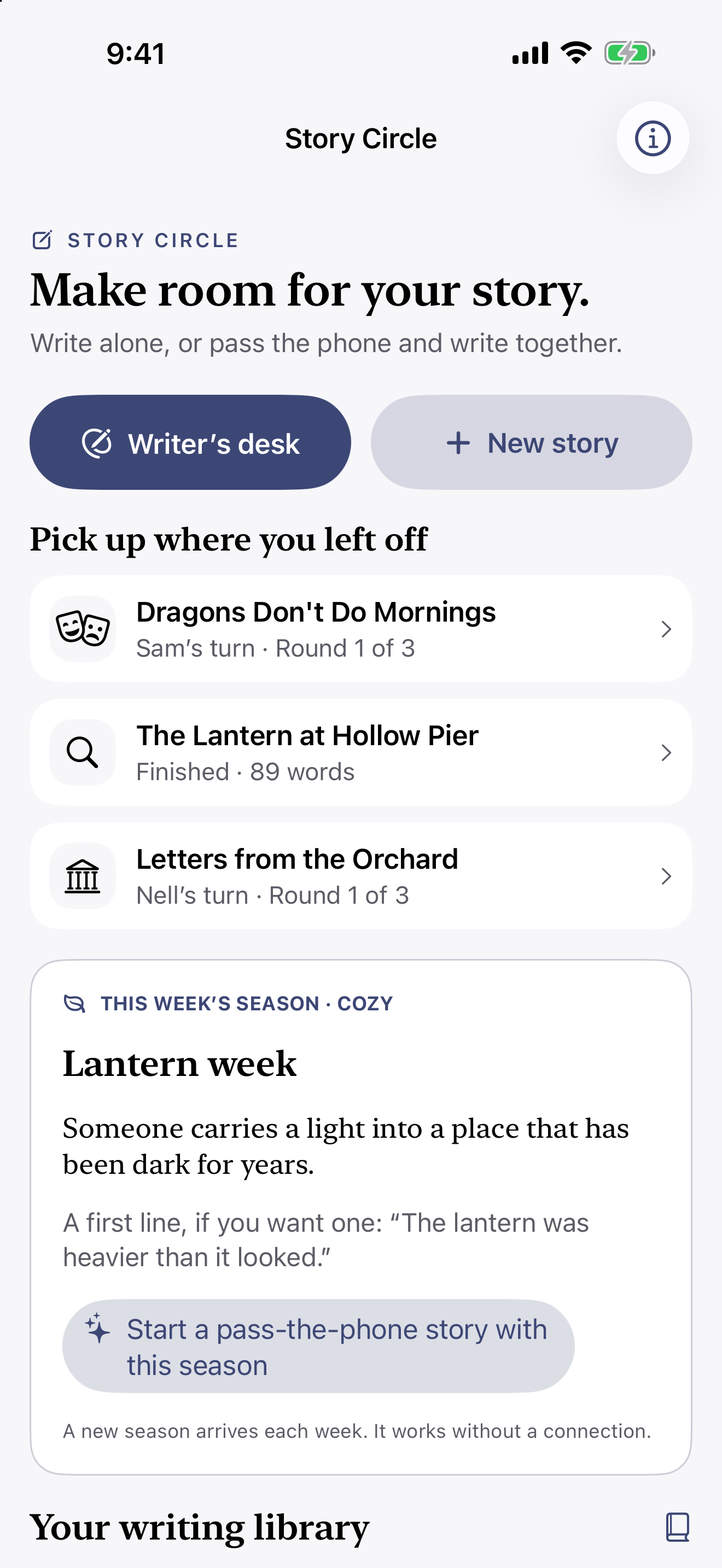
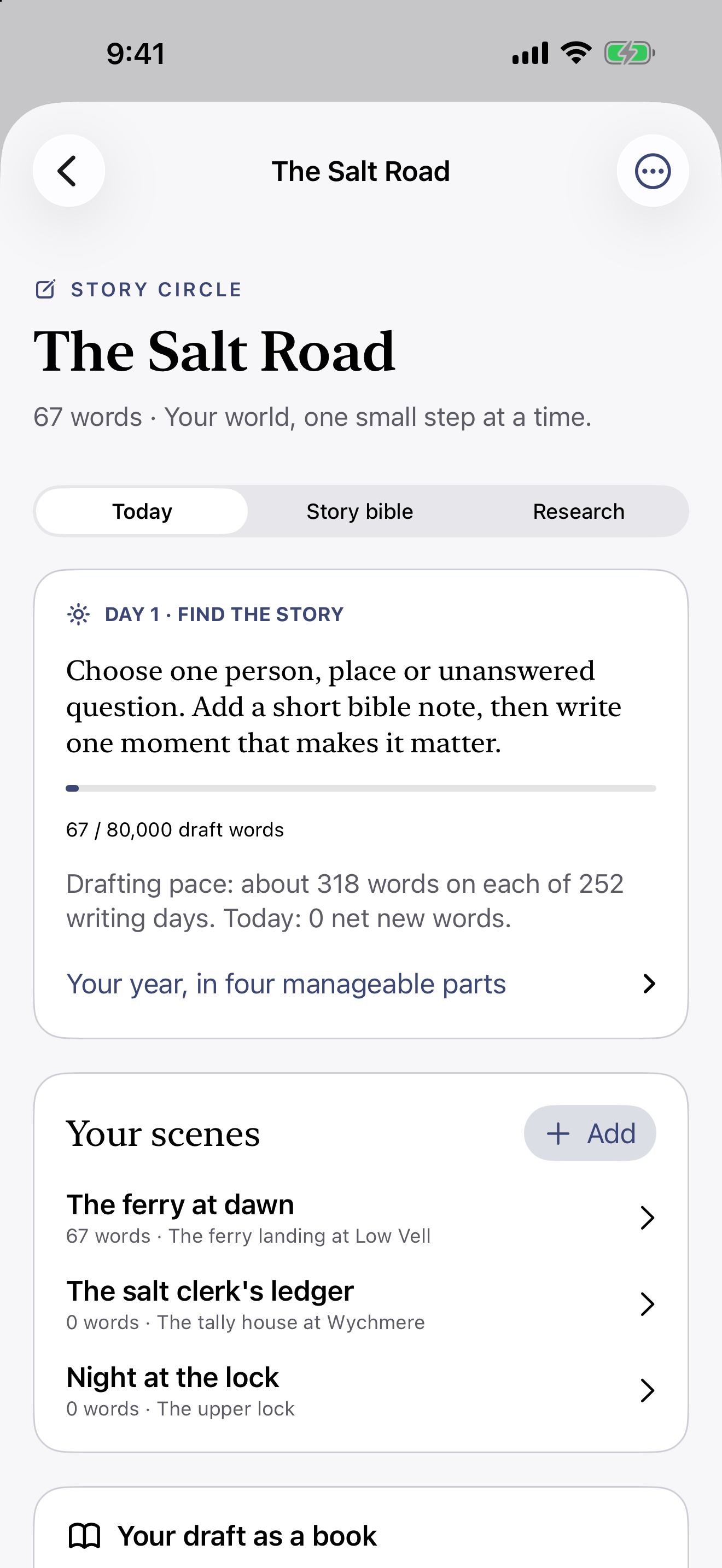
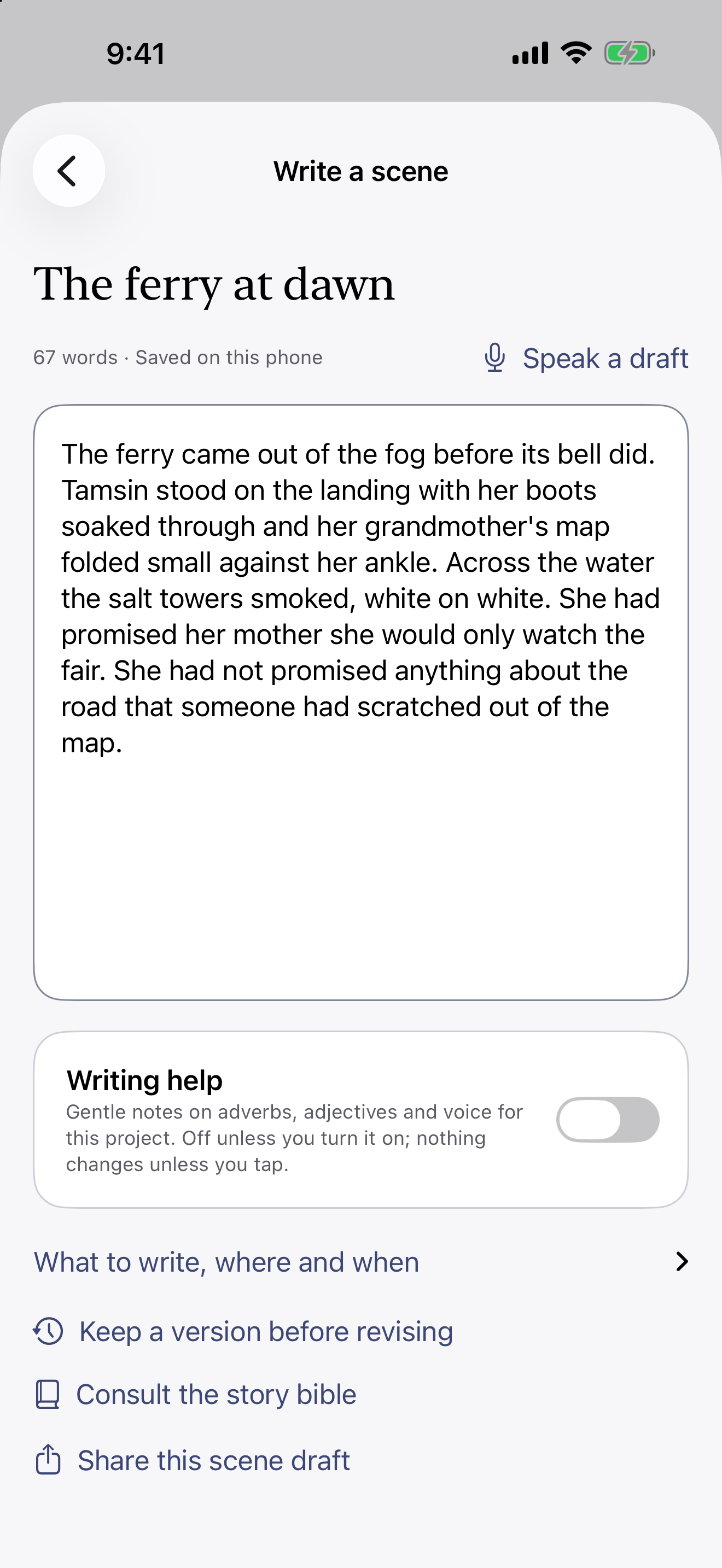
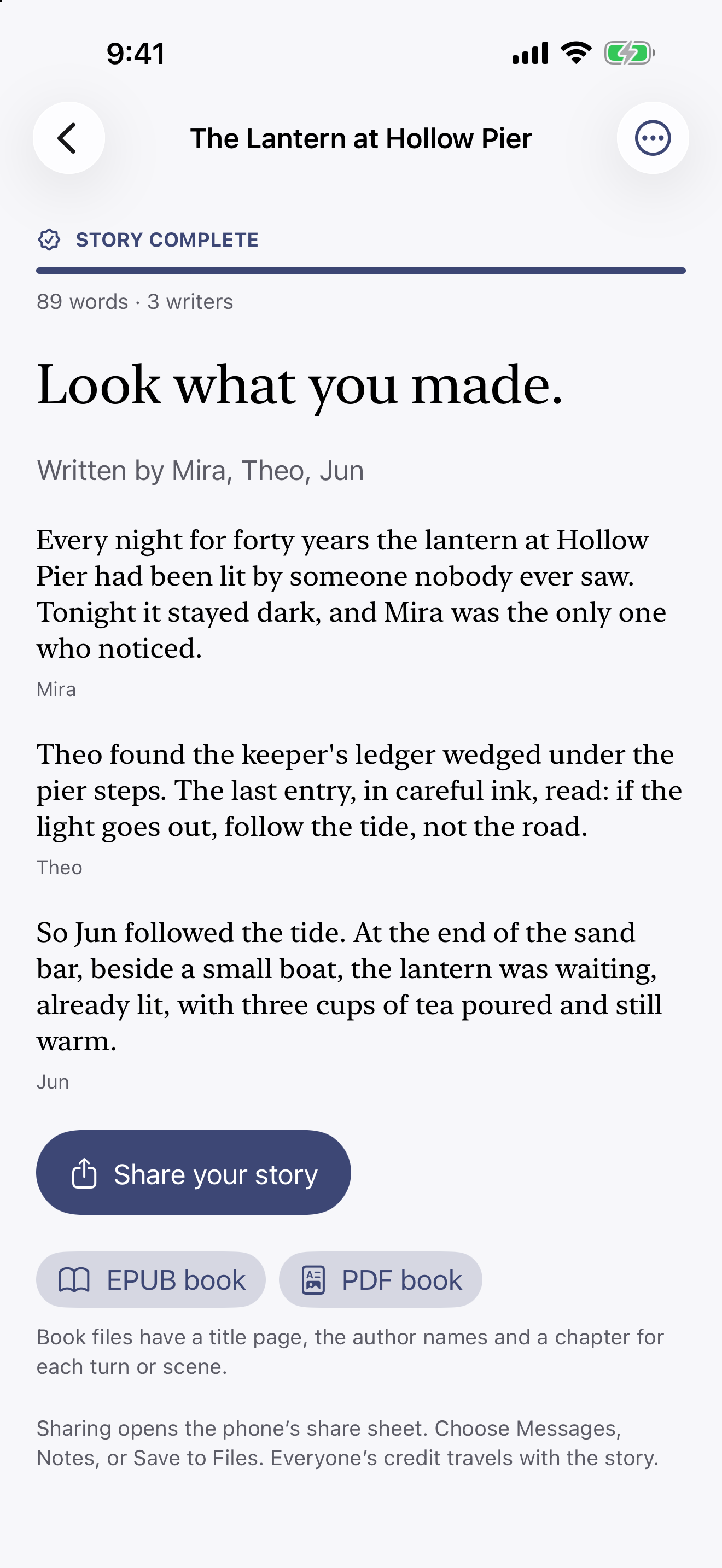
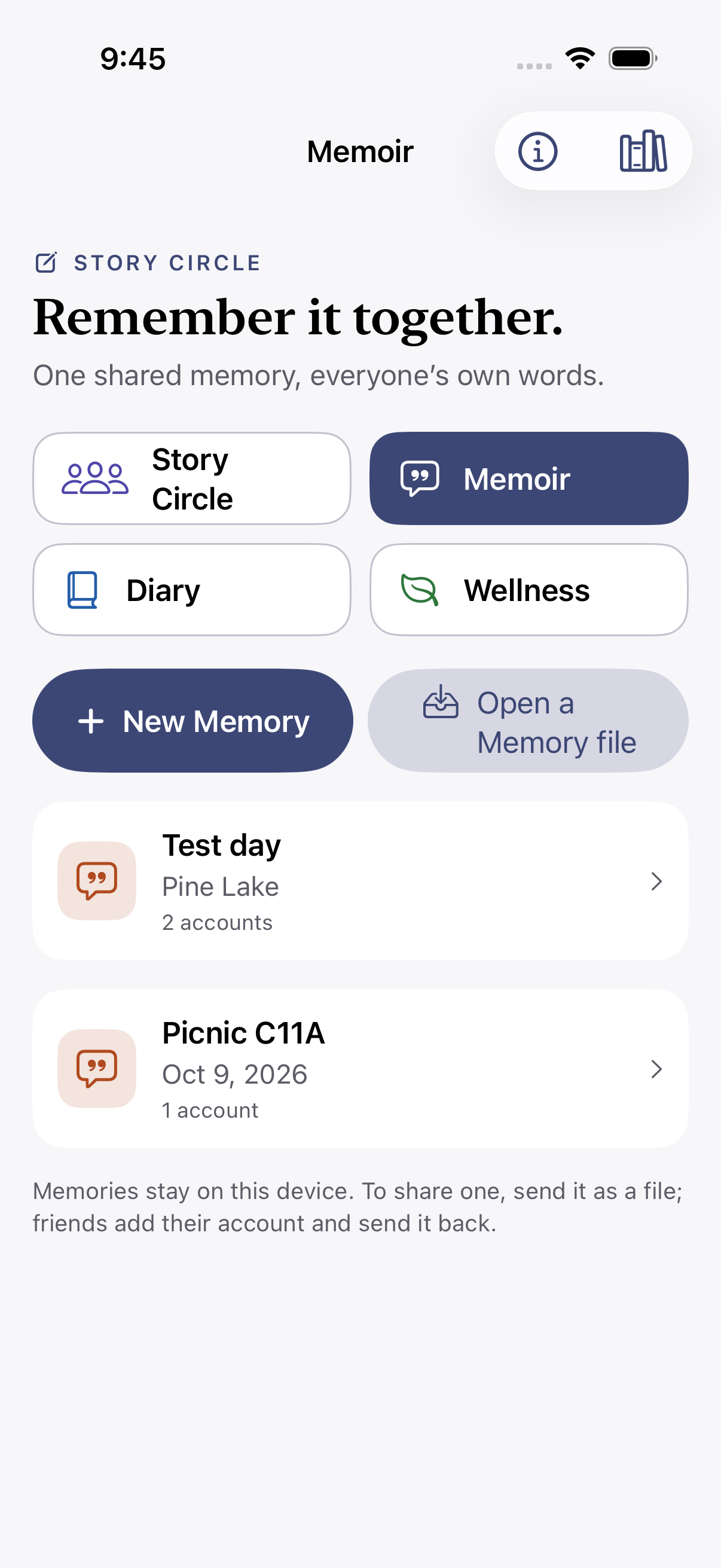
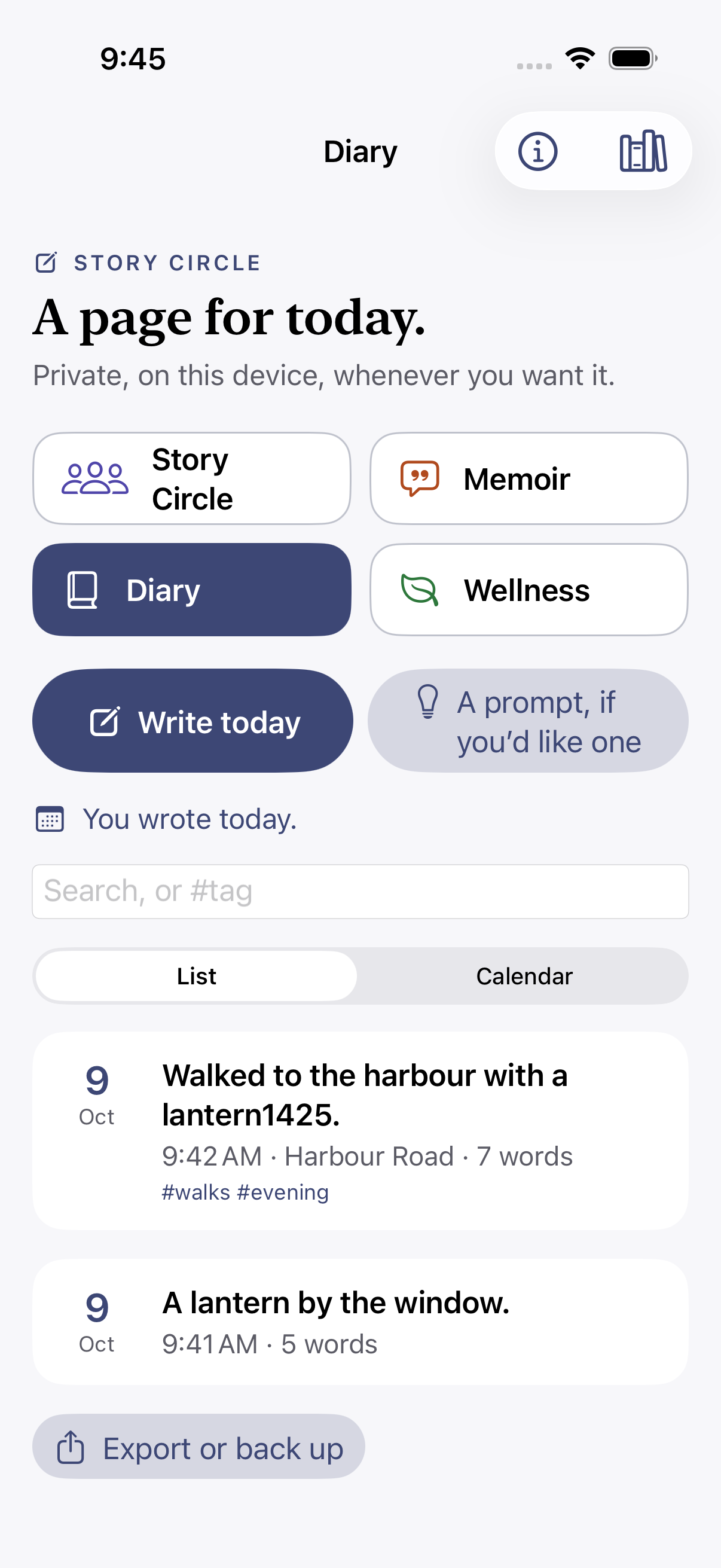
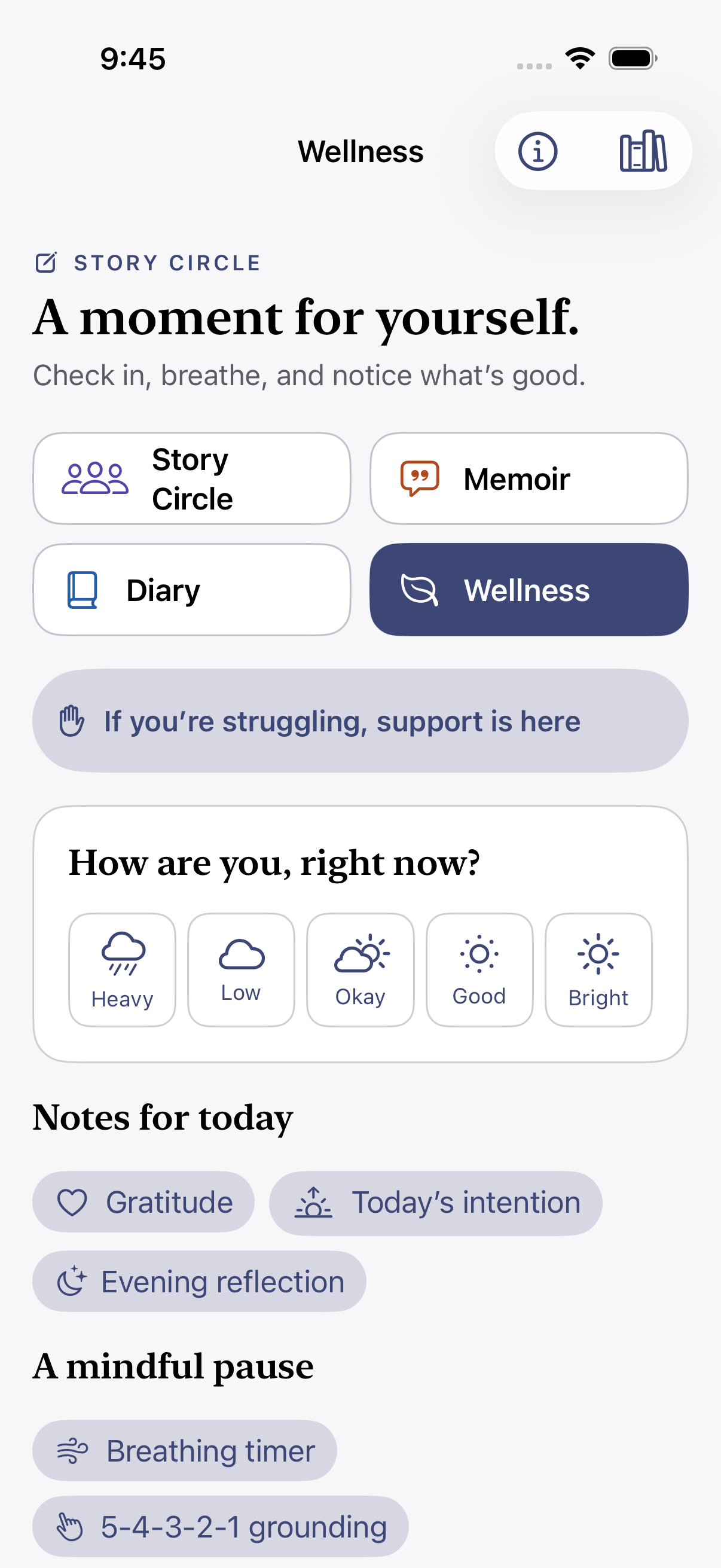
Keep the stories you invent and the days you want to remember. Write alone or pass the phone, gather different accounts of a shared memory, keep a diary, and make time for a daily check-in. These additions are part of the 1.1 testing edition; the public release date has not been announced.
Keep each person’s account beside the others. Pass the phone or share a Memory file, compare separate edits, and keep earlier wording when memories differ.
Write entries, add photographs, places and tags, and find a day again with search or the calendar.
Make time for check-ins, short notes, breathing and grounding prompts, and a weekly look back. This is a journal, not medical care.
Use Face ID, Touch ID or your device passcode to open the app. Save a password-protected journal backup; restoring adds missing items and keeps your existing pages.
Keep projects, scenes and research together. Speak a draft, record a story memory, or choose writing suggestions; you review every change.
Pass the phone and take turns at the same table. Try a built-in weekly story prompt, then share your story as text, an EPUB or a PDF with everyone’s credit attached.
No. Open the app and start writing.
Yes, by passing the phone. Each person writes a scene in turn. Online shared rooms are off in this version.
It points out heavy adverbs and adjectives, offers plainer words and helps keep a character’s voice consistent. You choose what to keep.
Yes. Export a finished story or draft as an EPUB or PDF.
Yes. Memoir keeps each person’s account beside the others and preserves earlier wording. Share a Memory file to exchange accounts and compare separate edits.
No. Choose a journal backup for a password-protected copy. Ordinary PDF, EPUB and Markdown exports and shared Memory files are not encrypted. App Lock does not protect those exported copies.
It leaves the current journal, but recovery copies and files prepared for sharing can remain. Deleting the app removes its local storage; copies saved, shared or included in a device backup remain elsewhere.
Journal backups are password-protected. Ordinary PDF, EPUB and Markdown copies and shared Memory files are not encrypted. A Memory file can include names, photographs, different accounts and earlier wording, so agree with contributors before sharing it.
Email hello@gatheredcommonspress.com. I answer within three business days.
Software by Tristin Hassell. Published by Gathered Commons Press LLC.